
JOBS · CERTIFICATES · CALENDAR EVENTS
Assign the job.
Plan the day.
Plan the visit and the paperwork together.
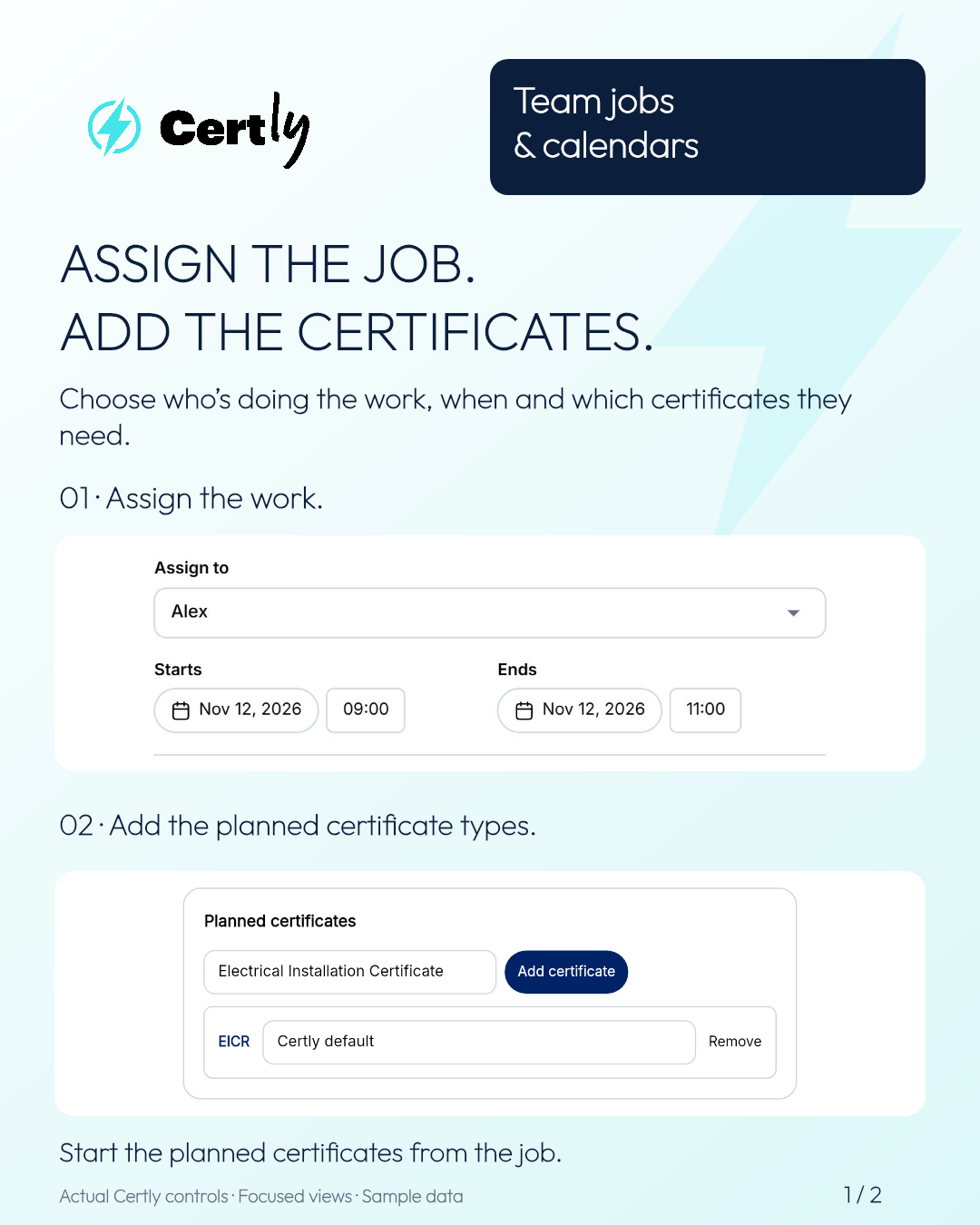
Plan the visit and the paperwork together in Certly. Assign a job to an Engineer, choose the client and property, set the appointment and add the certificates needed for the work. Calendar events help you organise the rest of your day too.
For electricians, electrical contractors and teams carrying out inspection and testing, a useful job plan includes more than a date. It tells the Engineer where to go, what to do and which certificates to complete. Certly brings those details together with your job management and calendar.
Assign the job and keep the details together
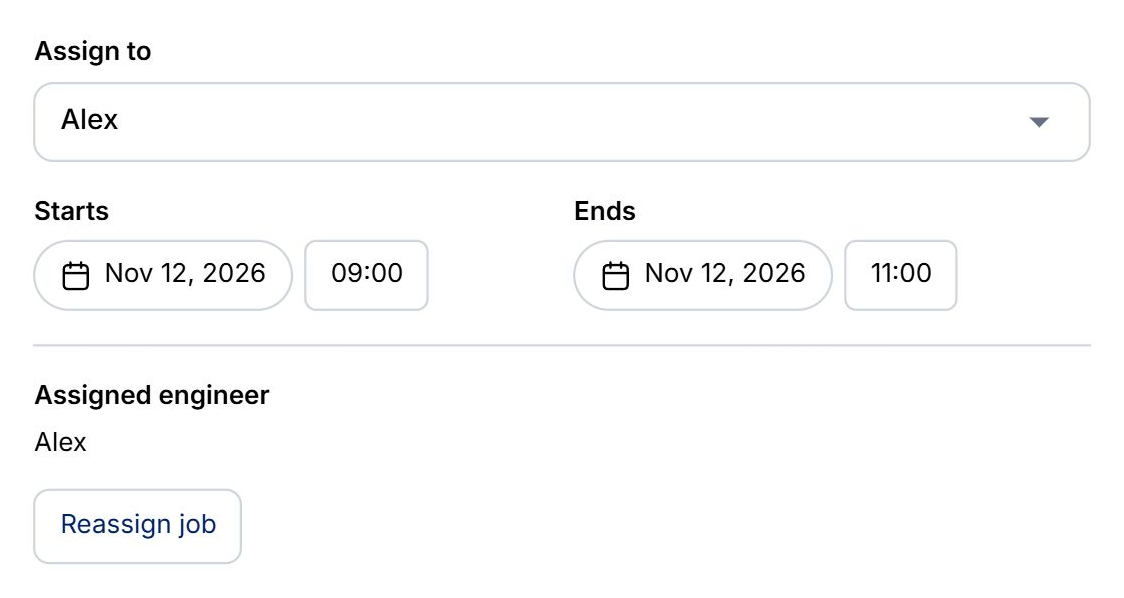
Create a job and select the Engineer who will carry out the work. Add the client, property, job title, reference, description and start and end times. The assignment gives your team a clear plan for the visit.
You can organise upcoming work on the company calendar, check who is responsible and reassign a job as your plans change. Keep the customer and property details with the job so they are ready to find.
Add the certificate types to the job
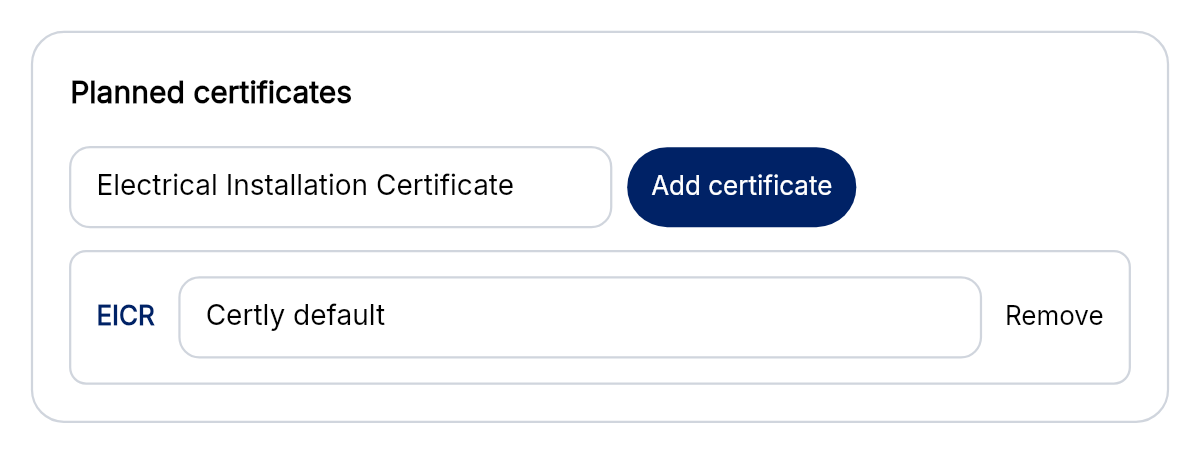
Use Planned certificates to choose the paperwork needed for the visit. Select a certificate type and click Add certificate. Add the types required for the work, then choose a template for each planned certificate.
You can use a Certly default, a personal template or a shared company template. That gives the job a useful starting point before the Engineer arrives on site.
Start certificates directly from the job
Open the job when it is time to start the work. Start the planned certificate from the job, with client and property details filled in. Your certificate remains connected to the job, keeping the visit and its paperwork together.
This is useful for electrical installation condition reports, electrical installation certificates and the other supported certificate types you plan through the job controls. Whether your work covers electrical testing, fire alarms, emergency lighting, EV charging, solar PV or PAT testing, organise the required certificate types with the job.
Planning the certificates ahead of time helps your team see what needs completing. Saved templates give Engineers a familiar setup and help reduce repeated entry of the details you use regularly.
Add calendar events for the rest of your day
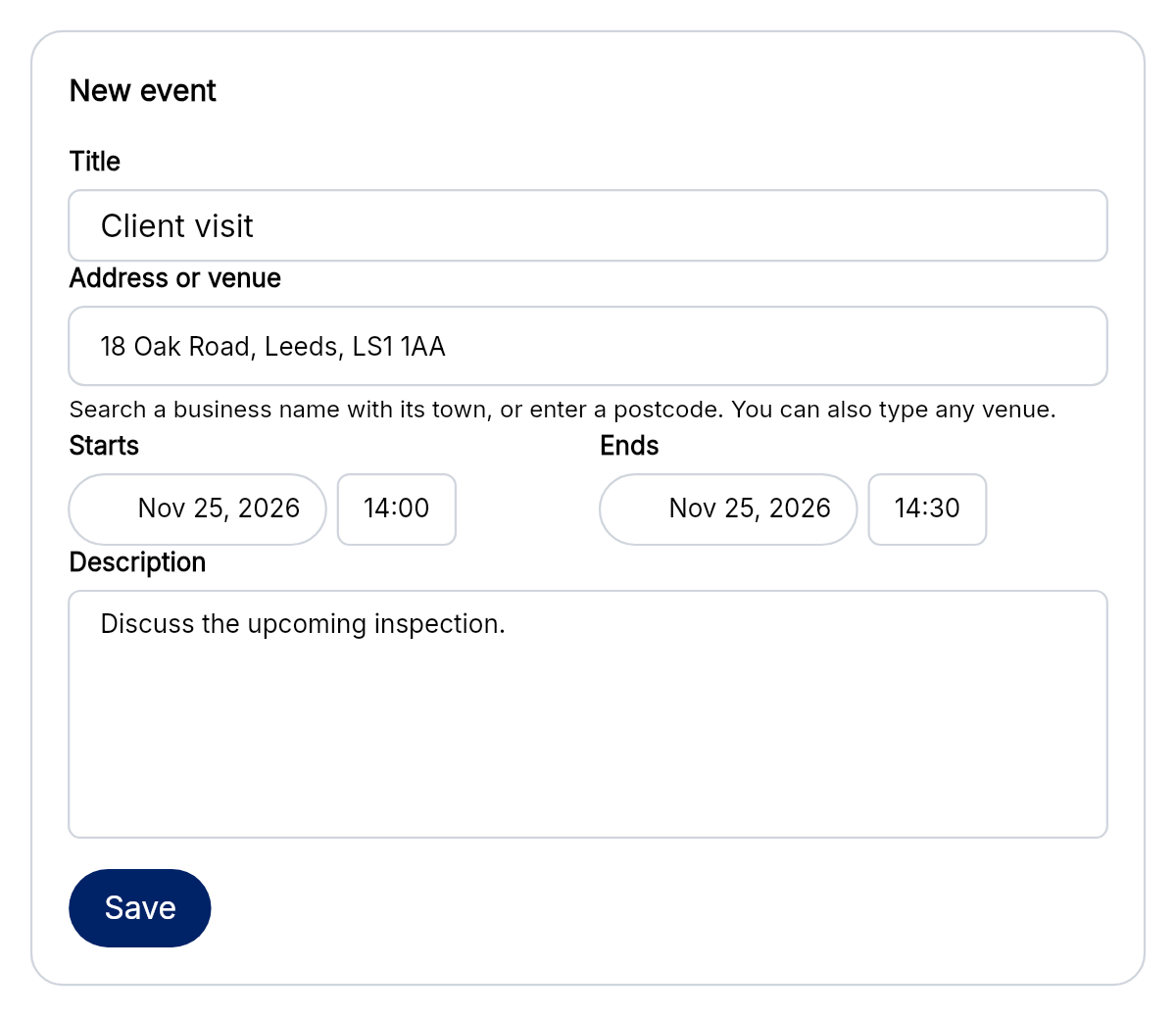
Your diary includes more than certificate jobs. Create an event for a customer meeting, a site visit or another appointment. Add a title, address or venue, start and end times and a description.
Keep the useful notes with the event so you can see where you need to be and what the appointment is for. Certly gives you one place to organise jobs and calendar events alongside your certification work.
How to plan a job and its certificates in Certly
- Create a job and choose its Engineer, client and property.
- Add the job title, reference, description and appointment times.
- Choose the planned certificate types and select their templates.
- Save the job, then start its planned certificates when the work begins.
- Add calendar events for your other appointments.
Electrical job management with the paperwork included
Certly brings job assignments, team calendars, client records, property details and certificate planning into one workspace. Plan who is doing the work, where they are going and which certificates they need, then keep the paperwork with the job.
Open Certly and plan your next job →
Need a hand? Email team@certly.co.uk and speak to a real person.