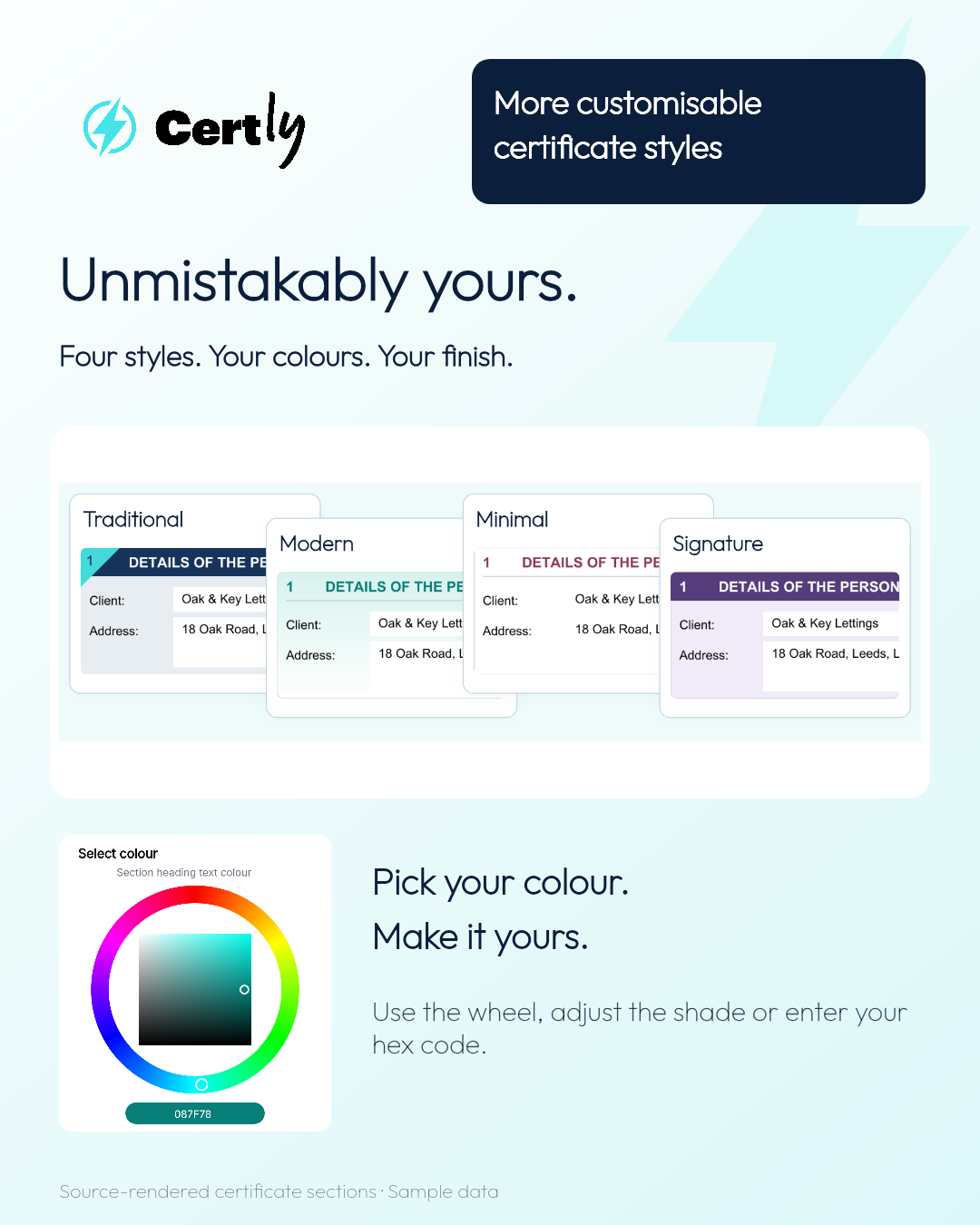
Certly’s certification software gives you four certificate styles to start from: Traditional, Modern, Minimal and Signature. Choose the look you like, then make the colours and finishing details suit your business.
Whether you are preparing an EICR, a fire alarm certificate, an emergency lighting certificate, an EV charging certificate or another document in Certly, a recognisable design helps your documents feel like part of your service. Your logo, colour choices and preferred layout bring that identity together.
Compare four customisable certificate styles
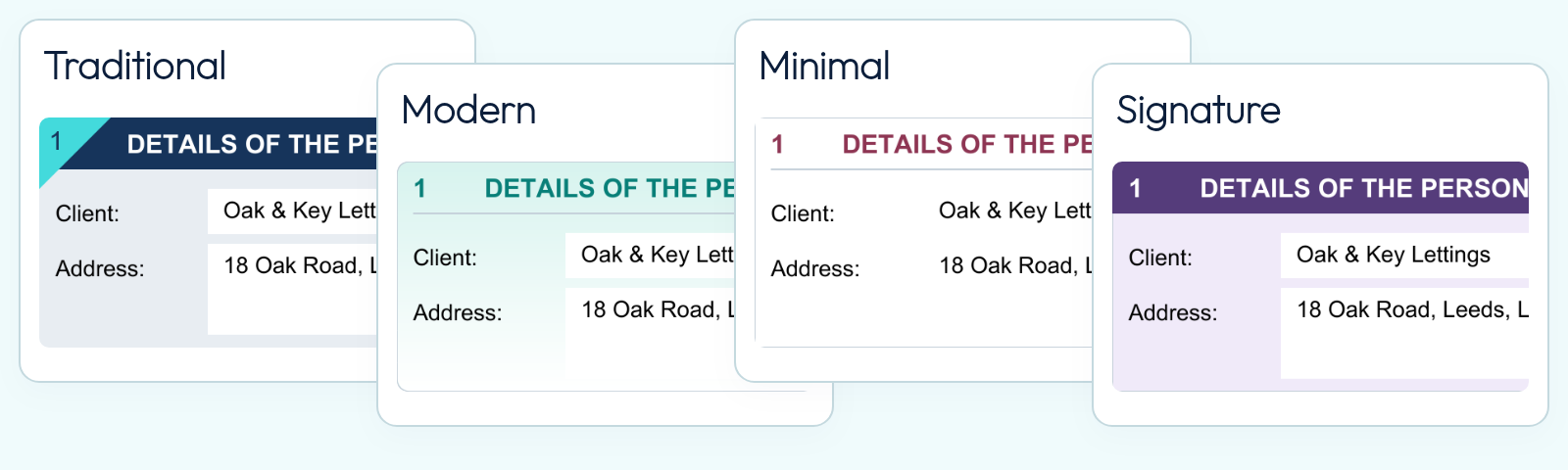
The examples below use the same EICR section to show four different finishes up close. These customisation options apply across Certly’s certificate range, including fire, emergency lighting, EV, solar and PAT certificates. Compare the heading treatments, panel backgrounds, colours and corner shapes side by side.
Traditional: a familiar certificate layout
Traditional uses filled headings and boxed sections. The example pairs navy headings with a cyan section marker and square corners for a familiar, structured certificate layout.
Modern: a lighter, cleaner finish
Modern uses clear headings and lighter panels. Here, teal accents, rounded corners and a soft mint-to-white gradient give the EICR section a fresh finish.
Minimal: an understated certificate design
Minimal keeps the presentation open and restrained. Wine-coloured headings and white panels show how a simple colour choice can give a clean certificate its own identity.
Signature: bold headings and colour accents
Signature uses filled headings and bold accents. The example combines purple headings with pale lilac panels and softly rounded corners.
One recognisable look across your certificate range
Your certificate branding carries across the different services you offer. Set the colours and finish you want in Certly, then give customers documents that look like they belong to the same business.
Electrical certificates: EICRs, EICs and Minor Works
Customise your electrical installation condition reports (EICRs), electrical installation certificates (EICs) and Minor Electrical Installation Works Certificates. Use your preferred certificate style and company colours to give your electrical testing and installation paperwork a recognisable finish.
Fire alarm and fire extinguisher certificates
Bring the same company identity to your fire certificates. Certly’s fire alarm and fire extinguisher certificate options use the customisation settings too, so your fire safety documentation can carry the colours and styling your customers recognise.
Emergency lighting certificates
Give emergency lighting certificates and reports the same professional presentation as the rest of your paperwork. Your chosen colours and certificate finish help keep your emergency lighting installation, inspection and testing documents consistent.
EV charging and solar PV certificates
Customise the presentation of your EV charger certificates and solar PV certificates in Certly. Whether you install electric vehicle charging points or solar panels, your certification can reflect your business branding alongside your electrical and other certificate work.
PAT testing and Part F ventilation
The same approach extends to Certly’s PAT testing and Part F ventilation documentation. Businesses offering several services can keep one recognisable identity across their certificate range, with their own colours and preferred style.
Choose certificate colours with the colour wheel
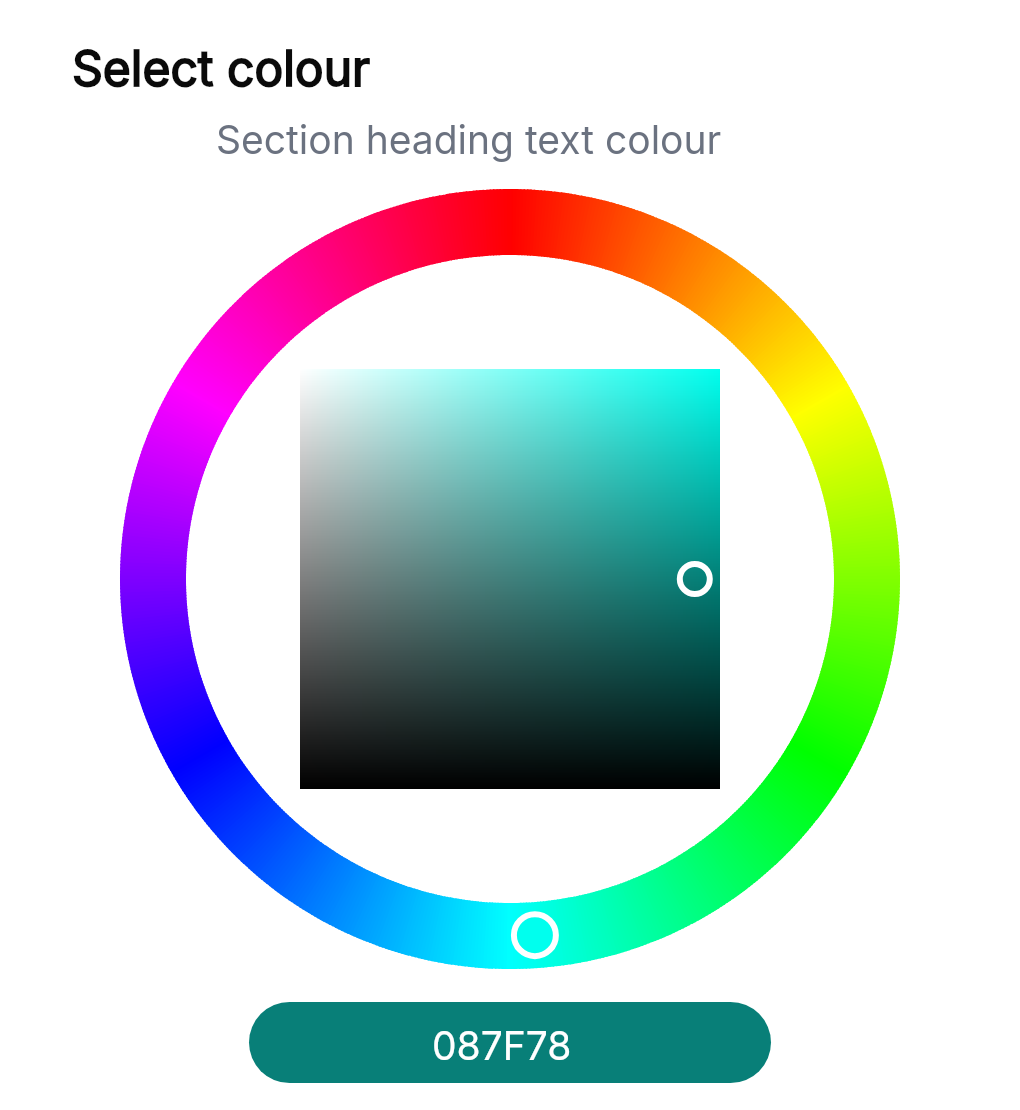
Open a colour control in Branding to choose your shade. The colour wheel helps you explore different colours, while the saturation and brightness controls let you fine-tune the result.
If your business already uses a specific colour, enter its hex code to select it precisely. You can bring your certificate headings, accents and available panel options together around the look you want.
Customise the corners and panel finish
A colour change is only part of the finish. Choose square, softly rounded or more rounded section corners. Use the available solid or gradient background options to create a subtle panel treatment or a more distinctive look.
The examples are starting points. You can choose another palette and combine the available options to make the certificate style your own.
Preview your certificate design before saving
Certly shows a full-page PDF example as you make changes, so you can see the design together rather than judging each setting on its own. Try a style, adjust a colour and check how the finished certificate looks.
When you are happy with your design, select Save defaults. The company owner can organise the company’s certificate layout defaults in the same place.
How to change your certificate style in Certly
- Open Settings, then Certificate Settings and Branding.
- Select Choose your style and pick Traditional, Modern, Minimal or Signature.
- Open Make it yours to customise the colours, corners and panel options.
- Check the PDF example, then select Save defaults.
Your certificates, unmistakably yours
A professional certificate should be clear to read and recognisable as your work. Certly brings certificate branding and style customisation into one straightforward workspace, helping electrical contractors, fire alarm businesses, emergency lighting specialists, EV and solar installers, and PAT testing businesses create a consistent finish for their customers.
Open Certly and customise your certificate style →
Need help choosing your settings? Email team@certly.co.uk and speak to a real person.