 November update
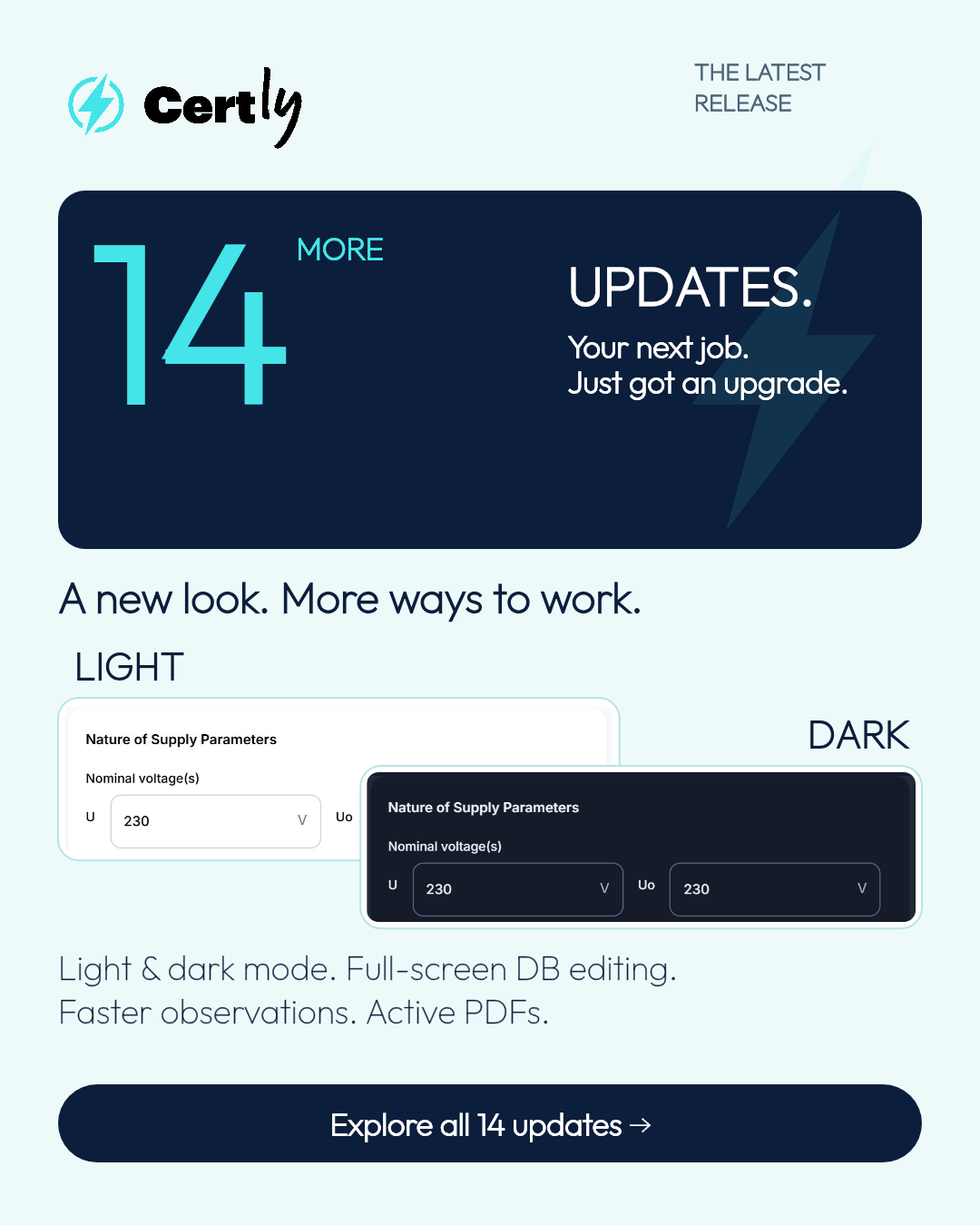
UPDATES.
More ways to make
Certly work for you.
Your look. Your workflow.
Your next job, with more choice.
Certly’s November update brings 14 more improvements to our electrical certificate software: dark mode, full-screen circuit schedule editing, faster EICR observations, active PDF photo links and more choice over your finished reports.
For electricians and electrical contractors, the work runs from entering supply details and circuit test results through to recording observations, reviewing certificates and sending the finished PDF. These updates add useful choices at each stage, whether you work on your own or as part of a team with a Qualified Supervisor.
This guide explains what each change does, where it fits into your electrical certification workflow and how it can help on your next job. You’ll see actual Certly app views, sample report links and the controls behind the new features.
MAKE IT YOURS
Electrical certificate software, personalised for your work.
A workspace that suits you makes everyday tasks feel more familiar. These three updates give you more choice over what you see when you open Certly.
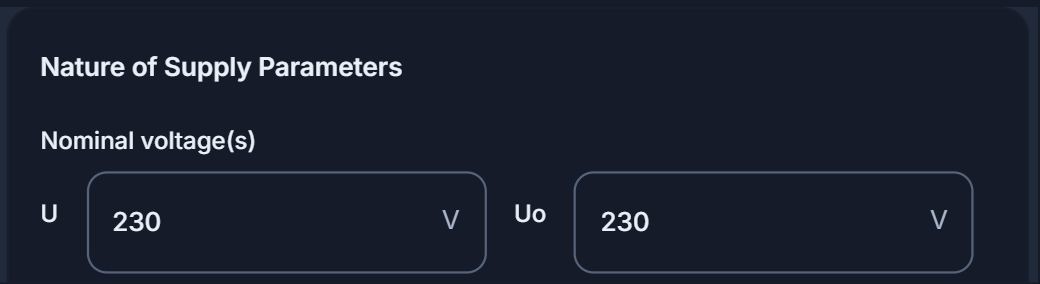
01Dark mode for your electrical certification app
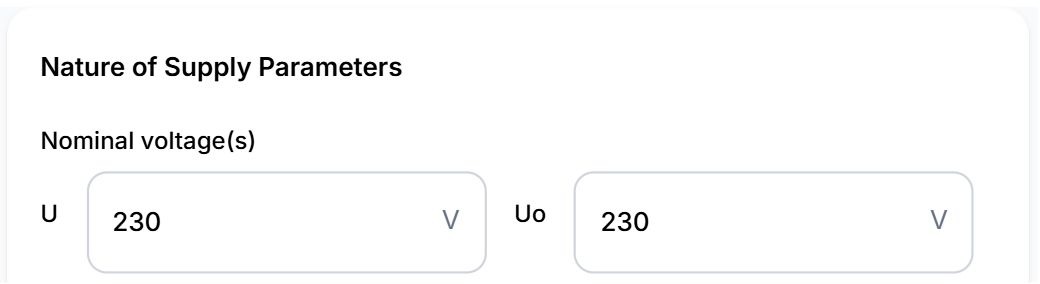
Choose a light appearance, switch to dark mode or let Certly follow your device settings. Your certificate details, controls and familiar workflow are there in the look you prefer.
For electricians using Certly to record electrical inspection and testing details, appearance is a personal choice. Light and dark modes give you control over the look of the electrical certification app while you work through your certificates. Following your device settings keeps that choice in step with the rest of your device.
02Company branding for your Certly workspace
Company-controlled branding lets you personalise accent and button colours across the app. Give the team a workspace that feels like your company, with a consistent look as they move between tasks.
The accent colour highlights parts of the interface, while the button colour gives actions such as Save certificate your company’s chosen look. These settings personalise the app workspace used by your team. Certificate PDF styling has its own settings, giving you a separate choice over the appearance of your customer-facing electrical certificates.
03A certificate dashboard for the work you do
Don’t want to see certificate types you don’t do? Switch them off in your cert view. Personalise your certificate dashboard around the work you carry out, with the certificate types you use ready to find.
An electrical contractor carrying out EICRs and electrical installation work may want a different certificate selection from a business working across fire alarms, emergency lighting, EV charging or solar PV. Your personalised certificate dashboard lets you keep the relevant certificate types in your new-certificate choices and dropdowns. You can bring hidden types back into view whenever you need them.
CIRCUIT ENTRY
EICR circuit schedules with more room to work.
From distribution board details to circuit readings, Certly gives you more flexibility over how you enter information.
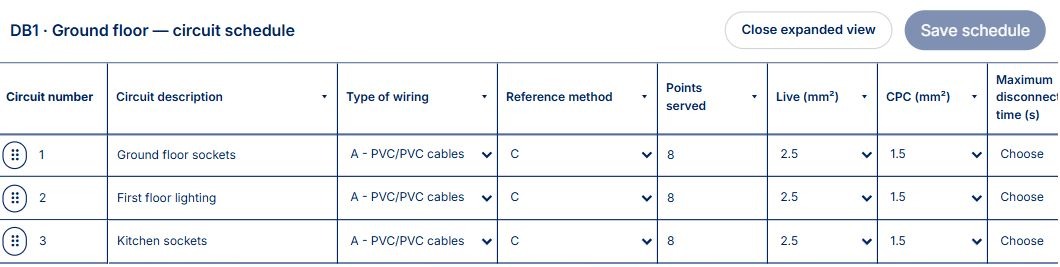
04Full-screen distribution board and circuit schedule editing
Prefer working in individual boxes rather than the circuit-entry tray? Expand the distribution board’s circuit schedule to full screen and edit circuit details and readings directly in its rows. Choose the view that suits the task and the way you like to work.
The expanded circuit schedule puts the distribution board reference, circuit descriptions and entry boxes together in a larger working area. It gives electricians another way to record circuit details and test results while preparing an EICR or electrical installation certificate. Work across the schedule’s rows when that suits you, with the familiar circuit-entry tray available as another way to enter the information.
05Main incoming fuse breaking-capacity suggestions
Suggestions help you enter main incoming fuse breaking-capacity values more quickly. Choose a suggested kA value or enter the value yourself, keeping you in control of the information you record.
Breaking capacity is one of the supply details entered during electrical certification. Certly’s incoming fuse kA suggestions help with that specific part of certificate entry. The suggested values sit alongside manual entry, so the engineer chooses the value to record for the installation being documented.
06Remembered text for quicker certificate entry
Improved remembered-text suggestions make suitable text fields more consistent across web and native. Keep useful wording close at hand as you complete the details you enter regularly.
Familiar wording often appears across successive electrical inspection reports and certificates. Remembered-text suggestions help bring previously used text back into suitable fields as you type. This update improves consistency between the web app and native app, making everyday certificate writing feel more familiar across the places you use Certly.
OBSERVATIONS
Faster EICR observations. Useful wording ready.
Keep the inspection finding and its observation connected, with useful wording ready for the next job.
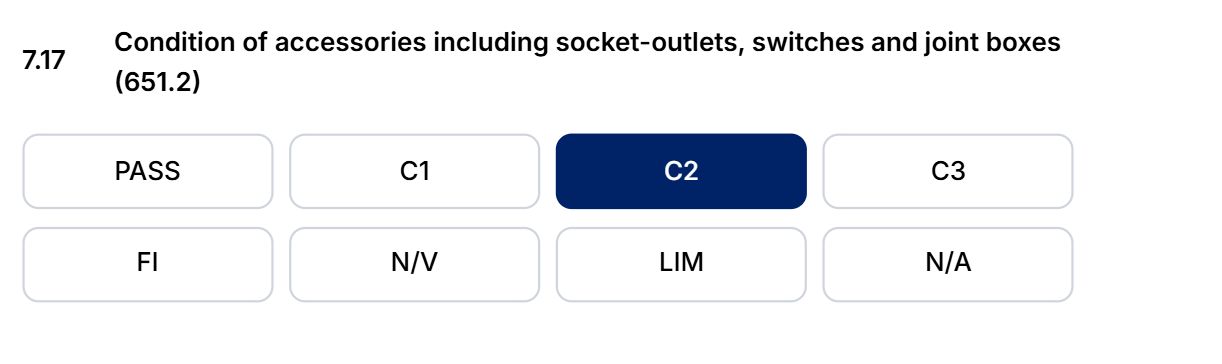
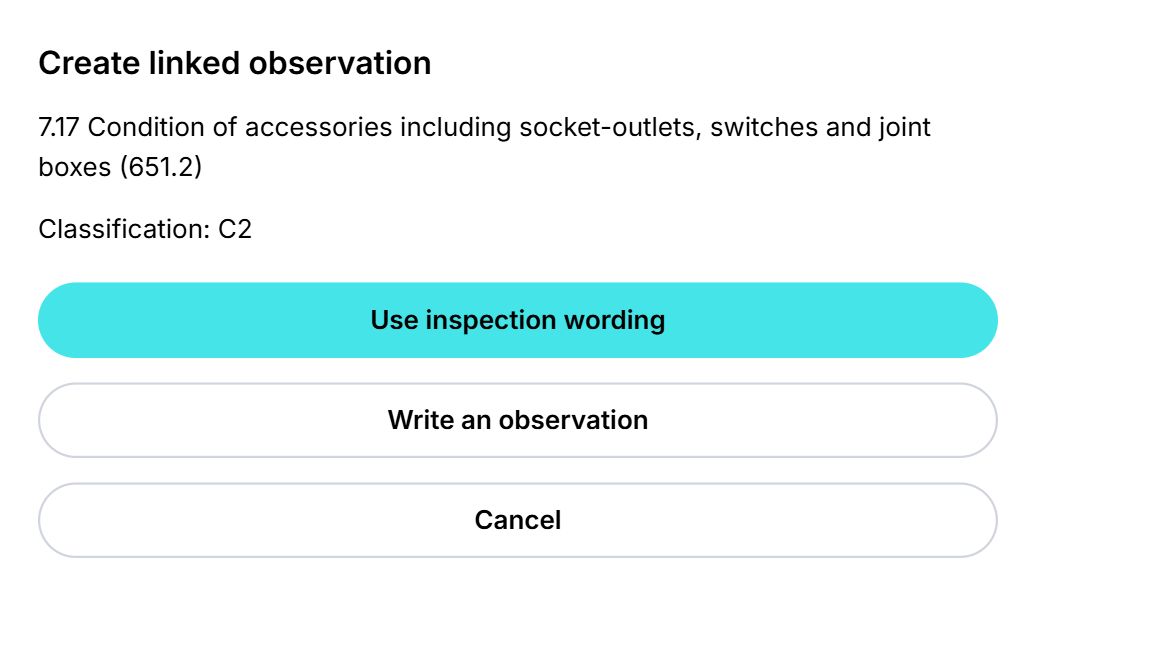
07Create EICR observations from the inspection schedule
Choose a classification such as C1 or C2 on the inspection schedule and create a linked observation from the prompt. Use the inspection item’s wording as your starting point, or write your own description. It brings the inspection decision and the recorded finding together in one flow.
For an electrical installation condition report, the inspection schedule and observation list are closely connected. Certly’s linked-observation prompt carries the selected inspection item into the observation workflow. The engineer can start with the schedule wording and add the details of the finding, or write the observation in their own words. It is a quicker route from recording the classification to describing the observation.
08Reusable EICR observation templates for engineers and QS teams
Reusable observation templates give your company and your engineers a useful starting point. QS-managed company templates help the team use consistent wording. Engineers can also keep their own observation templates stored locally on their device.
Saved observation wording is useful when your team records similar findings across different electrical installations. Company observation templates provide a shared starting point managed by the QS. Personal templates give individual engineers a place to keep useful wording on their own device. Together, they help make EICR observation writing quicker while leaving the engineer free to describe the installation and finding in front of them.
ACTIVE PDFS
Active EICR PDFs with linked observation photos.
The connection between a finding and its evidence continues into the finished report.

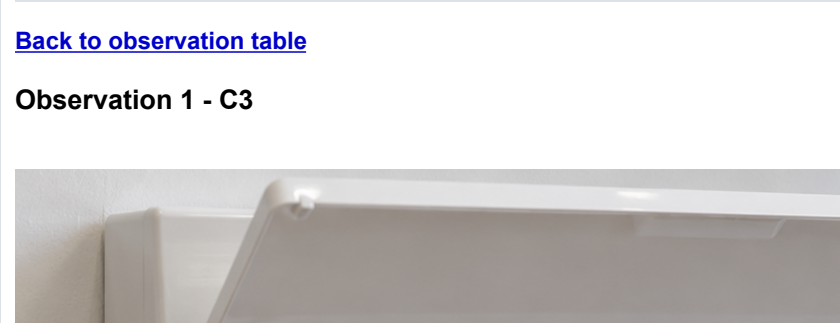
Open the sample PDF and try both links →
09Clickable PDF links between observations and photo evidence
Active PDF links take the reader from an observation to its supporting photographs. A return link takes them back to the observation table. Customers, engineers and reviewers can move between the written finding and the image that supports it while reading the report.
An EICR observation may refer to an accessory, distribution board or circuit with supporting photographs elsewhere in the report. The View photo link connects that written observation to its evidence. Back to observation table brings the reader to the findings again. This makes a digital electrical inspection report easier to move through during client handover and certificate review.
YOUR REPORTS
EICR reports, landscape printing and testing scope.
More control over the way you print, download and present your EICR.
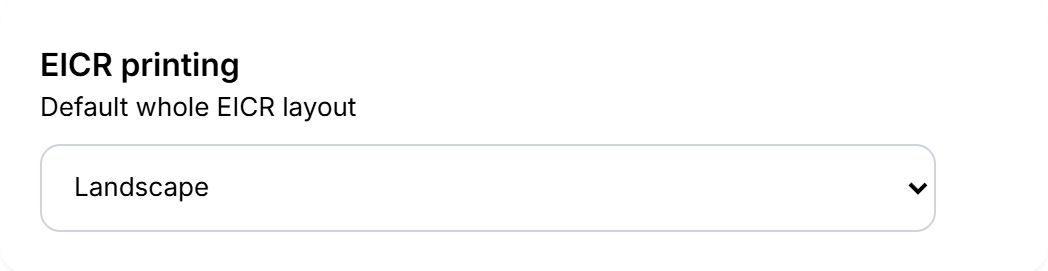
10Landscape EICR printing and PDF downloads
Choose landscape for the whole electrical installation condition report. Save it as your personal preference so your preferred orientation is ready for future reports.
Landscape orientation gives you another way to present the full electrical installation condition report, including its wider schedules. Choose the output that suits the report you are preparing and save the preference for your own account. Your landscape EICR is available when printing or downloading the report as a PDF.
11Separate circuit schedule printing
Print circuit schedule pages separately, without certificate page numbering. Get the schedule pages you need as a separate output for the job.
A separate circuit schedule is useful when you want the distribution board’s circuit information as its own printed output. Certly lets you print those schedule pages independently of the full electrical certificate. The separate pages are produced without certificate page numbering, giving the circuit schedule its own clear presentation.
12EICR testing percentage and scope on the report
Optionally record the percentage of circuits tested and describe the testing scope. Display that information on the EICR report so the reader can see the extent of testing alongside the recorded results.
The percentage of circuits tested and the description of the testing scope give the report reader context for the recorded results. Certly now provides an optional way to enter both pieces of information and show them on the electrical installation condition report. Keep the extent of testing and the completed EICR report together in the same certification workflow.
QS REVIEW
QS certificate review for electrical contracting teams.
Keep the certificates and readings you want to check in view.
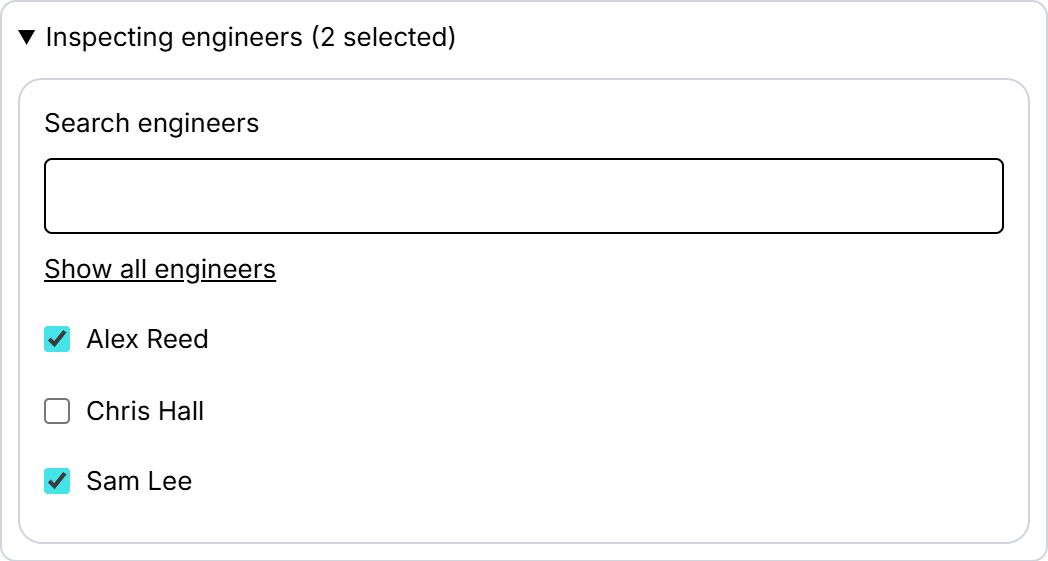
13Filter QS certificate reviews by inspecting engineer
Choose one or more inspecting engineers to filter the QS review list. Bring the relevant certificates together when you want to review a particular engineer’s work or focus on a group within your team.
Electrical contracting teams can have several inspecting engineers completing certificates for QS review. Filtering by inspecting engineer brings a chosen person’s work into focus, while selecting several engineers supports a wider team review. It gives the Qualified Supervisor a useful way to organise the certificate list around the engineers whose reports they want to check.
14Visible high-Zs warnings for engineers and QS reviewers
Readings requiring review are highlighted directly on the circuit schedule for engineers and QS reviewers. The highlights stay in the app, so the PDF keeps its normal presentation.
Zs readings form part of the circuit test results recorded during electrical inspection and testing. Certly makes high-Zs readings requiring attention visible where the engineer and QS reviewer are looking: on the circuit schedule itself. This supports an easier review of the entered readings while keeping the customer-facing PDF in its normal report format.
YOUR CERTIFICATION WORKSPACE
EICR, electrical installation, fire, emergency lighting, EV, solar and PAT.
Certly’s wider certificate range supports businesses carrying out different kinds of inspection, testing and installation work. The personalised certificate view gives each user a practical way to keep the paperwork they use close at hand.
- Electrical certificates and EICR software: electrical installation condition reports, electrical installation certificates and minor works certificates for electrical inspection, testing and installation work.
- Fire alarm certificates: find the supported fire alarm certificate types alongside your other certification work.
- Emergency lighting certificates: keep the supported emergency lighting paperwork in your Certly certificate choices.
- EV charging certificates: bring the supported electric vehicle charging certificate types into your view when EV work is part of your business.
- Solar PV certificates and forms: use Certly’s supported solar paperwork alongside your electrical certificates.
- PAT testing reports: include portable appliance testing paperwork in the same wider Certly workspace.
The November release includes both app-wide personalisation and specific EICR reporting improvements. Dark mode and app colours help personalise your workspace. Landscape EICRs, EICR testing percentage and observation-to-photo PDF links give electrical inspection reports more ways to present the recorded work.
Explore our electrical certificate software, take a closer look at Certly’s EICR software or read about PAT testing software and solar certificate software.
YOUR QUESTIONS, ANSWERED
About the latest Certly electrical certification updates.
What is new in Certly’s EICR software?
The November release adds full-screen circuit schedule editing, incoming fuse kA suggestions, linked observations from the inspection schedule, reusable observation templates and active PDF photo links. EICR report options include landscape output, separate circuit schedule printing and an optional testing percentage and scope. QS review adds inspecting-engineer filtering, with high-Zs warnings visible on the circuit schedule.
Can I choose dark mode in the Certly app?
Yes. Choose light mode, dark mode or follow your device settings. You can use the appearance you prefer while entering certificate information and working through the app.
Can I edit EICR circuit details in a full-screen table?
Yes. Expand the distribution board’s circuit schedule and edit individual circuit detail and reading boxes directly in its rows. The expanded view gives you another way to enter the information alongside the circuit-entry tray.
How do EICR observation templates work in Certly?
QS-managed company templates provide reusable observation wording for the team. Engineers can also keep personal observation templates stored locally on their own device. When creating an observation from the inspection schedule, the linked prompt offers the item wording or the option to write your own description.
Can an electrical inspection report link observations to photos?
Yes. In the generated PDF, View photo takes the reader from an observation to its supporting photograph. The return link goes back to the observation table, keeping the written finding and its photo evidence easy to move between.
Can I print an EICR in landscape and print circuit schedules separately?
Yes. Certly supports printing or downloading the whole EICR in landscape, with a saved personal preference. You can also print circuit schedule pages separately, without certificate page numbering.
Can a Qualified Supervisor filter certificates by engineer?
Yes. The QS review list can be filtered by one or more inspecting engineers. This helps electrical contracting teams organise certificate checks around the engineers whose work they want to review.
Can I show only the electrical certificate types I use?
Yes. Personalise your certificate dashboard by choosing which certificate types appear in your cert view. Keep the types relevant to your electrical, fire, emergency lighting, EV, solar or PAT work visible, and bring other types back whenever you want them.
BUILT AROUND YOUR WORK
One Certly. More ways to work.
From choosing dark mode to moving straight from an observation to its photograph, these updates add useful choices throughout the certification process. Personalise the app, choose how you enter your readings and prepare the report in the format you prefer.
Certly brings electrical certification, client details, jobs and team workflows together. Alongside EICRs and electrical installation certificates, the wider Certly range includes fire alarm certificates, emergency lighting certificates, EV charging certificates, solar PV paperwork and PAT testing reports. Your certificate view helps you keep the types you use close at hand.
Take a closer look at the app views on the November release page, explore Certly’s features or try the interactive demonstrations.