
Recording an issue should not mean hunting through separate notes, board references and photographs. Certly brings the observation and its context into the same workflow.
For electricians and electrical contractors using certification software, the useful improvements are often the practical ones: less repeated setup, clearer information and a more direct route to the next task. This feature is part of Certly’s recently updated workspace on phone, tablet and desktop.
Put it in the right place
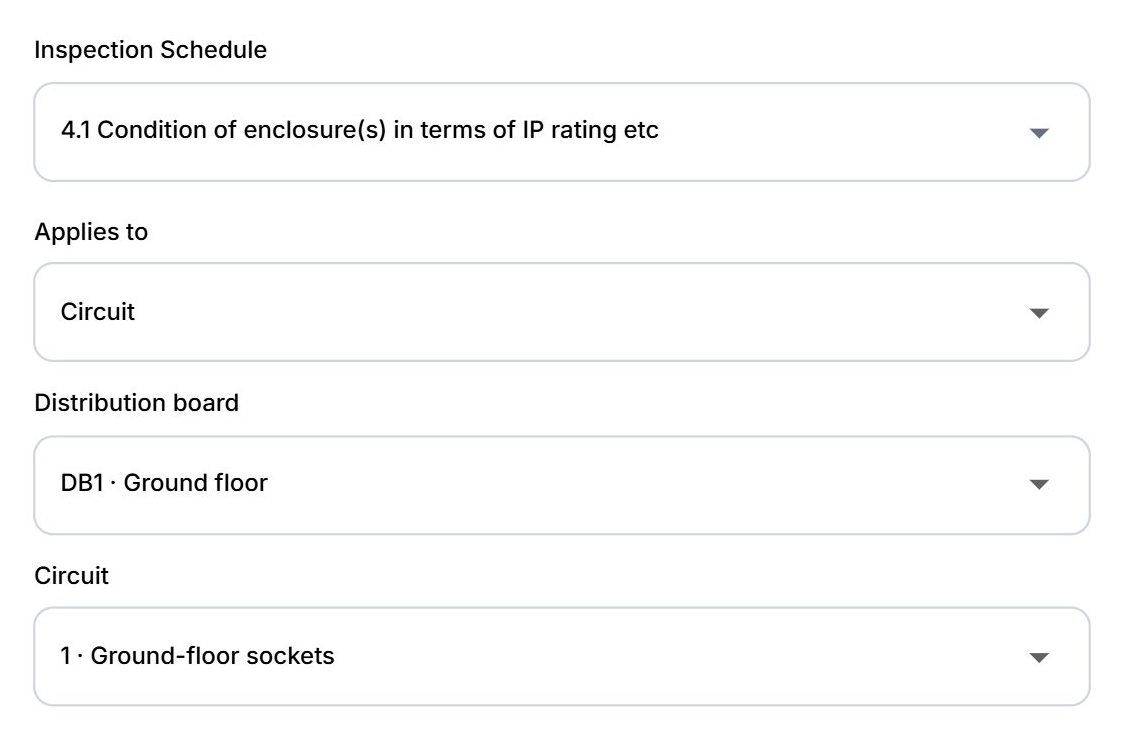
Apply an observation to the whole installation, a distribution board or a specific circuit. Select the existing board and circuit so the link describes the part of the installation you actually inspected.
The scope controls help distinguish a general installation observation from one affecting a particular board or circuit. Choose from the installation’s existing distribution boards and circuit entries, rather than relying only on a free-text location.
Start typing. Find it fast.
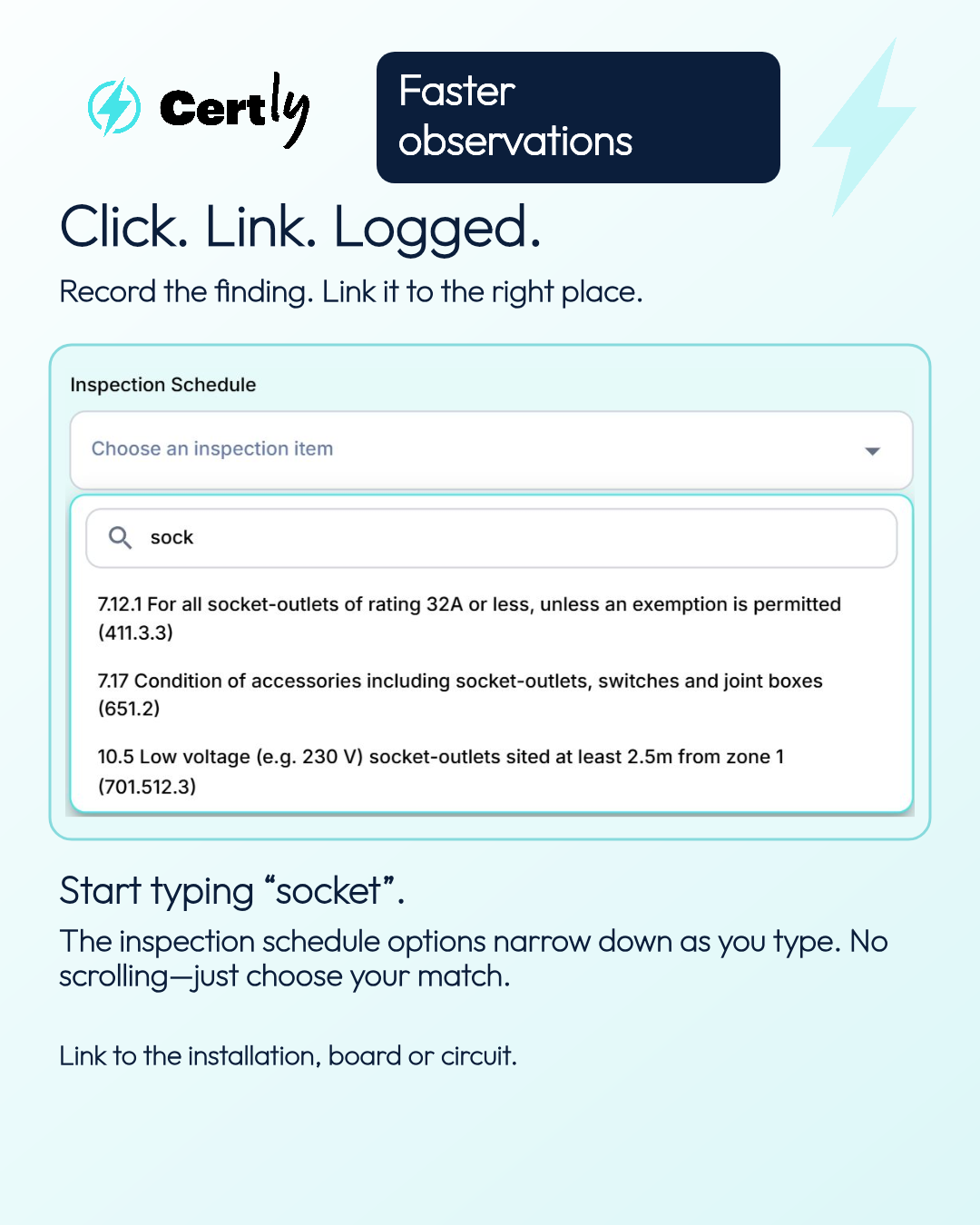
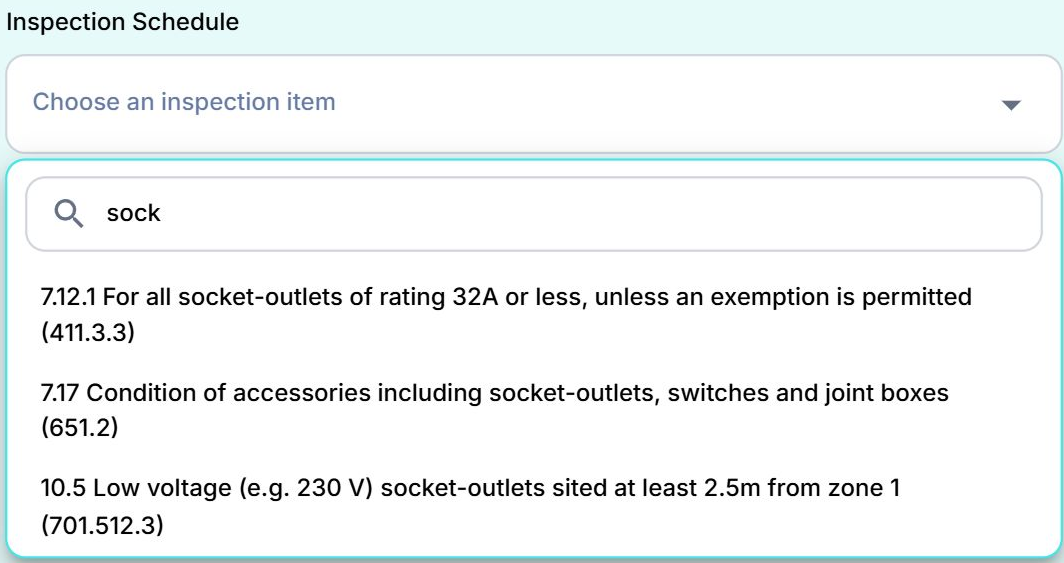
Start typing “socket” and Certly narrows down the inspection schedule options as you type. No scrolling—just click the option you need and keep moving.
You do not need the full wording or reference number. The search matches part of the item’s wording, helping you find the relevant choice quickly. The example shows “sock” matching socket-related inspection items from the actual schedule. Choose the item that applies to your recorded finding.
Keep supporting detail together
Add supporting photos where needed. In the report, observation information is labelled alongside the relevant image to help the reader understand its context.
Keep the observation wording, classification, location and supporting media clear. The software helps organise the record; the inspection findings and classification remain the electrician’s professional judgement.
How to get started
- Open the observation controls in your certificate.
- Type part of the inspection item and select a matching option where relevant.
- Select the installation, board or circuit, record the finding and add supporting media if needed.
What to bear in mind
Available controls depend on the certificate type. The example shows an EICR workflow; sample values are illustrative, not inspection advice.
Can an observation apply to one circuit?
Yes. Choose Circuit, then an existing board and circuit. Use a wider scope when that better describes the finding.
Need help?
Contact team@certly.co.uk and speak to a real person. Dan and Andy want the software to reflect the way customers work, so tell us what would make your certification easier.